
Free Video Transcriber
Showcase

Pricing Information

DESCRIPTION:
Free Video Transcriber: Convert Video and Audio to Text Online
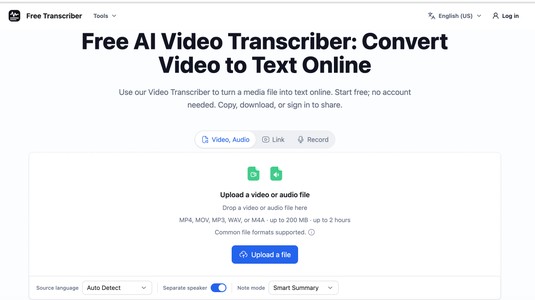
Free Video Transcriber is an online AI transcription tool for turning spoken content into readable text. It is designed for students, educators, journalists, researchers, podcasters, content creators, marketers, and anyone who needs a transcript from a video or audio recording.
Users can upload MP4 or MOV video files and MP3, WAV, or M4A audio files directly from their device. The tool also accepts public YouTube videos, YouTube Shorts, and directly downloadable public video URLs. No software installation is required, and visitors can start a transcription without creating an account.
Once processing is complete, the transcript appears beside the available media preview. Users can read the result online, copy the text to the clipboard, or download it as a UTF-8 plain-text .txt file. This makes it useful for turning interviews, lectures, meetings, podcasts, tutorials, webinars, and other spoken recordings into text that can be reviewed, searched, quoted, or edited into new content.
Key Features
Free online video transcription Convert supported video and audio files into text directly in a browser without installing desktop software.
No sign-up required to start Anonymous visitors can submit a supported file or public media link and begin transcribing without creating an account.
Video and audio file support Upload MP4, MOV, MP3, WAV, or M4A files from a computer or mobile device.
Public video link transcription Generate text from a supported public YouTube video, YouTube Short, or directly downloadable public video URL.
Copy and text download Copy the completed transcript or download it as a UTF-8 .txt file for editing, research, note-taking, or content repurposing.
Useful anonymous limits Without an account, local files can be up to 200 MB and a transcription task can be up to two hours long.
Account features when needed Signed-in users can upload files up to 500 MB, reopen completed transcripts from account history, run more concurrent tasks, and create read-only share links.
How It Works
Upload a supported video or audio file, or paste a supported public video link.
Select the source language or use automatic language detection, then start the transcription.
Review the generated text, copy it, or download it as a plain-text file.
Common Use Cases
Convert interview recordings into searchable text.
Turn lectures, classes, and webinars into study notes.
Transcribe meetings and spoken discussions for review.
Create text drafts from podcasts and video content.
Extract quotations from recorded conversations.
Convert YouTube videos and Shorts into readable transcripts.
Prepare source material for articles, show notes, summaries, and social posts.
Why Choose Free Video Transcriber?
Free Video Transcriber provides a simple browser-based workflow for converting video and audio to text. It supports common media formats and public video links, works without software installation, and allows users to begin without registration. The completed transcript can be read online, copied immediately, or downloaded for further editing.
Important: Transcripts should be reviewed against the original recording before publishing names, numbers, quotations, or technical terminology.
RELATED TOOLS

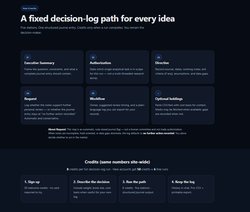 Solo Fund AI
Solo Fund AI is an educational decision-log tool designed for solo investors. I… Learn more
Pricing Tag: Freemium (starts at $ 19.00/monthly)
 Casetext (Thomson Reuters CoCounsel)
Casetext, now part of Thomson Reuters CoCounsel, is an AI-powered legal researc… Learn more
Pricing Tag: Pricing not specified

 LucenaCoder
LucenaCoder is a free, local, token-efficiency obsessed coding harness produced… Learn more
Pricing Tag: Freemium (starts at $ 6.00/monthly)
 AI for Database
AI for Database provides a browser product and a scoped REST API for working wi… Learn more
Pricing Tag: Freemium

 DM Champ
DM Champ is an AI sales agent that answers leads on WhatsApp, Instagram, Facebo… Learn more
Pricing Tag: Pricing not specified
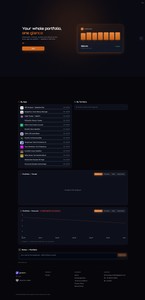
 GROWNX
GROWNX gives App Store portfolio owners real-time downloads, revenue, and revie… Learn more
Pricing Tag: Freemium
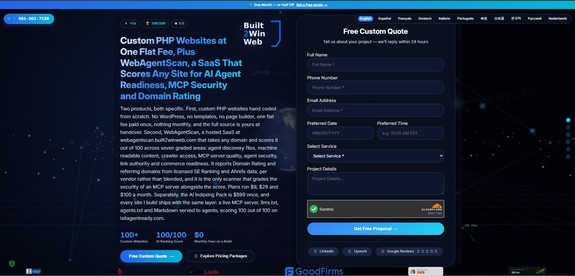
 Built2WinWeb AI Tools
Built2WinWeb — AI Agent Readiness, MCP Security & Custom PHP DevelopmentOve… Learn more
Pricing Tag: Pricing not specified
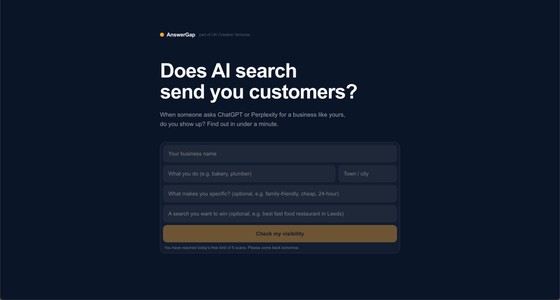
 AnswerGapAI
AnswerGap helps businesses understand how they appear in the new world of AI se… Learn more
Pricing Tag: Freemium
 SupaSubmit
SupaSubmit is an AI assistant integrated into Microsoft Word that helps you gen… Learn more
Pricing Tag: Freemium
No comments yet.