
Gemini Omni Video - AI Video Generator

DESCRIPTION:
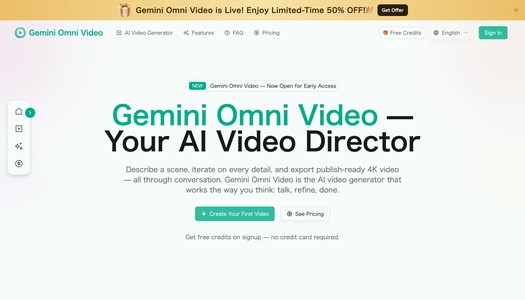
Gemini Omni Video — Your Conversational AI Video Director
Gemini Omni Video is an AI video generator designed to feel less like traditional editing software and more like a creative conversation. Instead of building scenes manually on a timeline, you describe what you want, refine the result with natural language, and export polished, publish-ready video in formats suitable for platforms like YouTube, TikTok, Instagram, LinkedIn, product pages, and ads.
Built on Google’s Gemini Omni model, Gemini Omni Video helps creators turn scripts, prompts, images, audio clips, and reference materials into coherent video outputs. Its biggest strength is not just generation, but iteration: you can keep adjusting lighting, camera movement, pacing, characters, audio, framing, and style through follow-up instructions without starting over from scratch.
Whether you are a marketer creating product videos, a social media creator producing short-form content, a startup building launch assets, or an agency prototyping visual concepts for clients, Gemini Omni Video offers a streamlined way to move from idea to finished video faster.
What is Gemini Omni Video?
Gemini Omni Video is a conversational AI video generation platform that lets users create and refine videos through plain-language direction. You can start with a simple sentence, a detailed script, a product image, an audio clip, or a combination of inputs. The system interprets your materials as one creative brief and generates a video based on your intent.
Unlike many AI video tools that produce a single clip from a prompt, Gemini Omni Video is designed around a multi-turn workflow. That means every generated result can become the foundation for the next revision. If the scene is close but not perfect, you can say things like:
- “Make the lighting warmer.”
- “Slow down the camera pan.”
- “Add rain in the background.”
- “Zoom in on the product.”
- “Make the intro shorter.”
- “Change the mood to cinematic and dramatic.”
- “Keep the character the same, but switch the location.”
This makes the tool especially useful for users who want creative control without learning complex video editing software.
How to Use Gemini Omni Video
Getting started with Gemini Omni AI Video is straightforward. The workflow is built around three main steps: provide your materials, direct the scene, and refine the output.
1. Open the Official Website
Visit the official Gemini Omni Video website and begin a new video project. The interface is designed for prompt-based creation, so you do not need advanced editing experience to begin.
2. Set the Stage with Your Input
You can start with one or more creative inputs, including:
- A text prompt describing the scene
- A full script or short outline
- A product photo or reference image
- A voice memo or audio clip
- Existing video clips
- A combination of text, image, audio, and video materials
Gemini Omni Video analyzes these inputs together and builds a unified creative direction.
3. Direct the Scene in Natural Language
After uploading or typing your idea, you can guide the AI as if you were briefing a human director or editor. You may specify:
- Camera angle
- Visual style
- Lighting
- Mood
- Scene pacing
- Character movement
- Product placement
- Background environment
- Sound design
- Dialogue or narration
You can be highly specific or intentionally broad. Gemini Omni Video adapts to your level of detail and fills in missing creative gaps intelligently.
4. Preview and Refine
Once a draft is generated, review the video and request changes using plain English. Instead of regenerating everything from zero, the tool keeps the session context and applies edits while preserving what already works.
5. Export for Your Platform
When the video is ready, export it in up to 4K resolution and choose the format that fits your publishing channel, including landscape, portrait, and square layouts.
Gemini Omni Video's Core Features
Conversational Video Generation
Gemini Omni Video turns video creation into a dialogue. You can describe a scene, receive a rendered output, and continue giving feedback until the result matches your creative vision.
This is especially useful for creators who think in ideas rather than timelines. Instead of adjusting layers, keyframes, and cuts manually, you direct the AI with words.
Multi-Input Creative Workflow
The platform accepts different types of inputs and combines them into a single coherent video brief. You can use:
- Text prompts
- Scripts
- Images
- Product photos
- Audio files
- Voiceover references
- Existing video clips
For example, a brand could upload a product photo, paste a promotional script, and include a voiceover reference. Gemini Omni Video can then generate a video that aligns visuals, pacing, and audio around the same concept.
Script-to-Screen Generation
Paste a script or outline, and the tool can generate a complete video with matching visuals, transitions, pacing, and sound. This reduces the need for manual storyboarding and makes it easier to create first drafts quickly.
This feature is valuable for:
- Explainer videos
- Product demos
- Social media ads
- Brand storytelling
- Educational shorts
- Promotional clips
Photo-to-Motion Animation
Gemini Omni Video can animate still images with natural camera movement and context-aware motion. This is useful when you have a product image, sketch, concept art, or landscape photo and want to transform it into a dynamic video.
Possible examples include:
- Turning a product shot into a rotating showcase
- Adding cinematic camera movement to a landscape
- Animating a concept sketch into a visual teaser
- Creating motion content from static brand assets
Multi-Turn Video Editing
One of Gemini Omni Video’s strongest capabilities is iterative editing. Instead of treating each generation as a one-off result, the tool remembers the context of your project.
You can adjust:
- Lighting
- Color grading
- Framing
- Camera movement
- Scene duration
- Background details
- Dialogue
- Characters
- Audio
- Mood and style
This makes the platform feel closer to working with an AI director than simply prompting a generator.
Auto-Matched Audio
Gemini Omni Video can produce synchronized sound design that matches the generated visuals. This may include ambient sound, effects, and dialogue alignment depending on the project.
By handling visuals and audio together, it reduces the need to move between separate editing, sound design, and rendering tools.
4K Multi-Format Export
The platform supports exports up to 4K resolution and allows users to create different aspect ratios for different publishing destinations.
Supported formats include:
- 16:9 landscape for YouTube, websites, presentations, and ads
- 9:16 portrait for TikTok, Instagram Reels, YouTube Shorts, and mobile-first campaigns
- 1:1 square for social feeds and compact placements
Instead of manually cropping or rebuilding each version, Gemini Omni Video can recompose scenes for each format.
Consistent Characters Across Clips
For multi-scene projects, Gemini Omni Video can help maintain character consistency across clips. This includes visual continuity such as face, clothing, and general style.
This is useful for:
- Episodic social content
- Brand mascots
- Fictional short-form series
- Training videos
- Campaigns with recurring characters
Why Creators Choose Gemini Omni Video
It Reduces Production Overhead
Traditional video production often requires scripting, storyboarding, shooting, editing, sound design, and rendering. Gemini Omni Video compresses much of that workflow into a single AI-powered creative process.
For teams with limited time, budget, or production resources, this can dramatically accelerate content creation.
It Supports Real Creative Iteration
Many AI video tools work like one-shot generators: you write a prompt, receive a clip, and restart if the result is wrong. Gemini Omni Video is different because it lets you refine an existing output through follow-up instructions.
This helps creators avoid losing good elements while fixing weak ones.
It Works Across Platforms
A single video idea often needs multiple versions: a YouTube version, a TikTok version, an Instagram version, and a square feed version. Gemini Omni Video helps repurpose content into multiple formats without requiring manual re-editing.
It Makes Video Creation More Accessible
You do not need to be a professional editor, cinematographer, animator, or sound designer. The platform is built for people who can describe what they want and refine it through feedback.
That makes it useful for:
- Solo creators
- Small businesses
- Marketing teams
- Educators
- Agencies
- Product teams
- Founders
- Designers
- Content strategists
Gemini Omni Video's Use Cases
Social Media Content Creation
Create short-form videos for TikTok, Instagram Reels, YouTube Shorts, and other social platforms. You can quickly test different hooks, moods, formats, and visual styles.
Examples:
- Viral-style product clips
- Motivational short videos
- Brand story snippets
- Educational mini-explainers
- Trend-based visual content
Product Marketing Videos
Brands can use Gemini Omni Video to create polished product showcases without booking a studio shoot. Upload a product image, add a short script, and generate a video that highlights features, benefits, and use cases.
Useful for:
- E-commerce product pages
- Launch campaigns
- Paid ads
- App demos
- SaaS feature explainers
- Amazon or Shopify listings
Advertising Creative
Marketers can rapidly generate and iterate ad concepts. Instead of spending days producing one version, teams can create multiple variations for different audiences and platforms.
Possible ad variations include:
- Different opening hooks
- Different calls to action
- Different visual styles
- Different aspect ratios
- Different product angles
- Different emotional tones
Content Prototyping
Creative teams can use Gemini Omni Video to prototype video ideas before investing in full production. It is helpful for previsualization, pitching, internal approvals, and client concept development.
Educational and Training Videos
Educators, coaches, and internal training teams can transform scripts or lesson outlines into visual learning materials. This can be especially useful for simplifying abstract ideas or making training content more engaging.
Storytelling and Concept Films
Writers, filmmakers, and visual storytellers can use the platform to explore scenes, moods, camera movement, and character ideas. It can serve as an AI-powered pre-production tool for developing visual direction.
Client Work for Agencies
Agencies can use Gemini Omni Video to quickly produce client-ready drafts, campaign concepts, and platform-specific video variations. The conversational workflow also makes revisions easier, because client feedback can be translated directly into new AI instructions.
What Makes Gemini Omni Video Different?
Conversation-First Workflow
The main difference is the way users control the output. Gemini Omni Video is not just a prompt box; it is a creative workspace where each message can build on the previous result.
Context-Aware Revisions
The tool keeps track of your creative session, allowing you to refine parts of a video without losing the entire direction. This is particularly important for professional workflows where consistency matters.
Multi-Modal Input Support
Gemini Omni Video can work with text, images, audio, and video clips in one workflow. This gives users more flexibility than text-only generation.
Built for Publishing
With 4K export and support for major aspect ratios, the platform is designed not only for experimentation but also for real publishing needs.
Practical Prompt Examples
Here are a few example prompts you could use with Gemini Omni Video:
Product Ad Prompt
“Create a 10-second cinematic product video for a premium wireless speaker on a dark marble surface. Use warm side lighting, slow camera movement, subtle bass vibration effects, and a luxury technology aesthetic. End with a clean text reveal: ‘Sound Without Limits.’”
Social Media Reel Prompt
“Generate a fast-paced vertical video for a fitness app. Show a young professional checking workout progress on a phone, quick cuts of home workouts, energetic lighting, upbeat audio, and a final call to action: ‘Start your 7-day challenge today.’”
Educational Explainer Prompt
“Create a simple animated explainer about how solar panels convert sunlight into electricity. Use clean visuals, friendly colors, smooth transitions, and clear labels for sunlight, solar cells, inverter, and home power.”
Brand Story Prompt
“Make a cinematic brand video for an eco-friendly skincare company. Show natural ingredients, soft morning light, close-up product shots, water droplets, botanical textures, and a calm voiceover mood.”
Revision Prompt
“Keep the same scene and character, but make the background more futuristic, add cooler blue lighting, slow down the camera movement, and make the ending feel more dramatic.”
Pros and Considerations
Pros
- Natural-language video creation
- Multi-turn editing instead of one-shot generation
- Supports text, images, audio, and video inputs
- Can export up to 4K
- Supports multiple aspect ratios
- Useful for creators, marketers, agencies, and businesses
- Reduces the need for separate editing and audio tools
- Helps create publish-ready content faster
Considerations
- AI-generated video may still require human review for brand accuracy
- Highly specific cinematic results may need several refinement rounds
- Complex multi-scene narratives may require careful prompting
- Users should check platform terms and commercial requirements before publishing at scale
Who Should Use Gemini Omni Video?
Gemini Omni Video AI is a strong fit for anyone who wants to create video content faster without relying on a full production team.
It is especially useful for:
- Content creators who need short-form videos regularly
- Marketers producing ads, launch videos, and social campaigns
- E-commerce teams creating product showcases
- Agencies developing rapid client concepts and variations
- Educators turning lessons into visual explainers
- Startups creating pitch, demo, and landing page videos
- Designers and storytellers exploring visual ideas
- Small businesses that need professional-looking video without studio costs
Tags
- AI Video Generator
- Conversational AI Video
- Text to Video
- Image to Video
- Script to Video
- AI Video Editing
- 4K Video Export
- Social Media Video
- Product Video Generator
- AI Marketing Tool
- Creative Automation
- Multi-Modal AI
- AI Content Creation
- Video Production
- Gemini Omni
FAQ
What is Gemini Omni Video?
Gemini Omni Video is a conversational AI video generator that lets users create, edit, and export videos through natural-language instructions. You can describe a scene, upload references, refine details, and export publish-ready videos.
How is Gemini Omni Video different from other AI video generators?
Many AI video generators are one-shot tools: you enter a prompt and receive a result. Gemini Omni Video is designed for iterative creation, meaning you can continue refining the same video through follow-up instructions without restarting from scratch.
What inputs does Gemini Omni Video support?
Gemini Omni Video supports text prompts, scripts, images such as PNG, JPG, and WebP files, audio files, and video clips. You can use one input type or combine multiple materials in the same project.
Can Gemini Omni Video generate videos from images?
Yes. You can upload a still image, such as a product photo, sketch, or landscape, and Gemini Omni Video can animate it with camera movement, environmental context, and visual motion.
Does Gemini Omni Video support 4K export?
Yes. Gemini Omni Video supports exports up to 4K resolution, making it suitable for professional publishing across web, social, and marketing channels.
Which aspect ratios are supported?
Gemini Omni Video supports common publishing formats, including 16:9 landscape, 9:16 portrait, and 1:1 square.
Can I use Gemini Omni Video for commercial projects?
According to the provided product information, videos generated with Gemini Omni Video come with commercial usage rights. This makes it suitable for ads, client work, social media, product pages, and other business use cases.
Is Gemini Omni Video affiliated with Google?
Gemini Omni Video is built on Google’s Gemini Omni model and provides an optimized creative workspace for AI video generation. It is described as an independent product focused on accessible AI video creation.
Who are some of the biggest customers of Gemini Omni Video?
Publicly verified customer names are not provided in the available product materials. However, the tool is clearly positioned for creators, marketers, agencies, startups, educators, e-commerce teams, and businesses that need fast, high-quality video generation.
Do I need video editing experience to use Gemini Omni Video?
No. The platform is designed for users who can describe what they want in plain language. While video knowledge can help you give better creative direction, traditional editing skills are not required.
What kinds of videos can I create?
You can create social media clips, product ads, educational explainers, brand videos, concept films, campaign variations, training videos, and short cinematic scenes.
Can I revise a generated video?
Yes. Gemini Omni Video is built for multi-turn editing. You can ask it to adjust lighting, pacing, framing, characters, background, audio, or style after the first generation.
Final Verdict
Gemini Omni Video is a promising AI video generator for creators who want speed, flexibility, and creative control without the complexity of traditional editing tools. Its conversation-based workflow makes it especially valuable for iterative production, where the first result is only the beginning and every follow-up instruction helps shape the final cut.
If you want to turn ideas, scripts, images, and audio references into polished 4K videos through natural language, Gemini Omni Video is worth exploring.
Also find Gemini Omni Video on: GitHub · HackMD · Product Hunt · Medium · Pinterest · Google Site · Substack · LeetCode · TheresAnAIForThat · Linktree · About.me · Note · Cal.com · Vocal.media · Hugging Face
RELATED TOOLS

 Seedream AI
Seedream 5.5 AI — 1.8s 2K text-to-image & editingSeedream 5.5 AI delivers u… Learn more
Pricing Tag: Free
 Cursive Text Generator
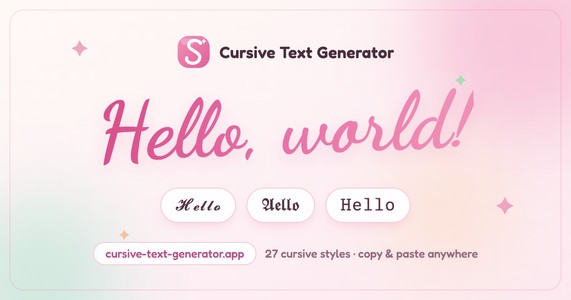
Cursive Text Generator is a free online tool that turns your ordinary text into… Learn more
Pricing Tag: Free
 blockposter
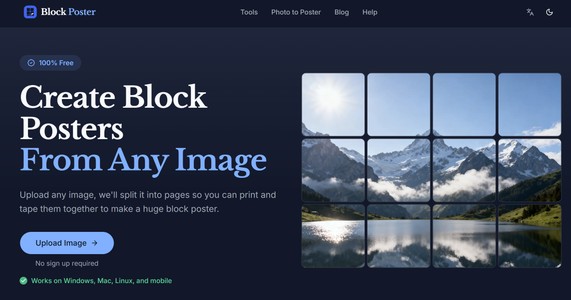
Free block poster maker and generator. Upload any image, download a multi-page … Learn more
Pricing Tag: Pricing not specified
 Flux 3
Flux 3 is an advanced AI image generation model that produces highly detailed, … Learn more
Pricing Tag: Freemium

 Lovspark
Lovspark is an AI-powered spatial design platform built for interior designers,… Learn more
Pricing Tag: Freemium (starts at $ 4.99/monthly)
 AI Hairstyle TryOn
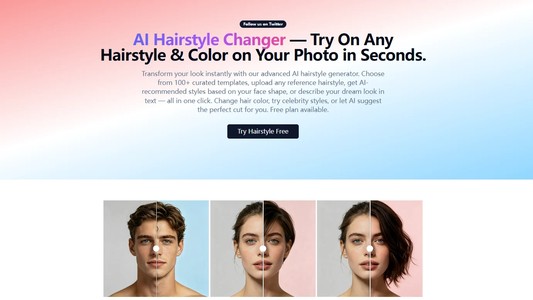
AI Hairstyle Try On - Free AI Hairstyle Changer App OnlineAI Hairstyle Try On i… Learn more
Pricing Tag: Freemium
 Makmak
makmak: AI Moments is an AI-powered content creation app designed for holidays,… Learn more
Pricing Tag: Freemium
 Funpack
Funpack: Fun AI Generator is an AI-powered effects and content generator that l… Learn more
Pricing Tag: Freemium
 Viyo
Viyo
Viyo: AI Story-driven Video is an AI-powered video creation app that transforms… Learn more
Pricing Tag: Freemium
No comments yet.