Google Gemini Live launches new voice features but its confusing branding undermines the promise
By admin | Aug 26, 2026 | 3 min read
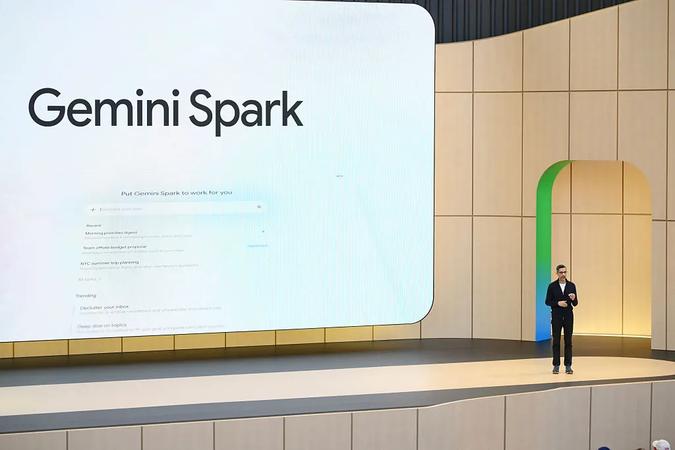
Google’s latest announcement about new Gemini Live voice features includes a promising line: “You shouldn’t have to guess whether a task requires Spark, a Daily Brief, or a quick inbox search.” The company frames this as a commitment—the updated Gemini app should handle a wide range of tasks through voice commands alone. But there’s an irony here: Google has slapped its own brand on nearly every AI feature in Gemini, which directly contradicts that very idea.
Inside the Gemini app, users are asked to switch between chat, Spark, and Daily Brief—three distinct features, each with its own icon and dedicated spot in the app’s navigation. That clutter turns what could be a straightforward consumer experience into something more confusing, and it hints that Gemini still hasn’t found its killer feature.
Take Daily Brief as an example. It feels like something an AI engineer would dream up, not a regular user. In theory, it’s an AI-powered agenda that delivers “proactive, personalized updates” by pulling data from Google’s own apps, like Gmail and Calendar. But in practice, the Brief can’t distinguish between what’s urgent, actionable, or worth remembering—and what’s just an unsolicited nudge to follow up on other things. It might prompt you to continue research you started in the chatbot, or worse, remind you of past Google searches. That second part doesn’t feel helpful; it feels unsettling. Just because I searched for college scholarships or animal rescues doesn’t mean I want an AI tapping me on the shoulder about them later.
Spark has the opposite issue. It’s one of the more genuinely useful parts of Gemini—an AI agent that can take actions on your behalf—but Google has turned it into its own standalone brand, which it doesn’t need to be. Sure, internally, Google engineers might like being on the “Spark team,” and that’s fine. But a mainstream user shouldn’t have to think about which “side” of the AI app they need to be in for a given task. They should just type their request, and the AI should figure out how to handle it—spinning up an agent if the task calls for one.
To be fair, this isn’t just a Gemini problem. The broader AI industry seems to expose its internal architecture directly to consumers rather than hiding it behind a simpler interface. These days, people have to decide whether they want to “chat” with Anthropic’s Claude or “Cowork” with its help—and until this week, those two modes didn’t even share a memory of past conversations. ChatGPT is the same, forcing users to toggle between “Chat” and “Work.” This kind of engineering-minded design makes interacting with AI feel unnatural. Consumers are being asked to memorize brand names for what are essentially just interaction modes or surfaces, all powered by the same underlying model.
That may be why Apple’s somewhat underwhelming approach to Siri could ultimately win people over. iPhone and Apple device owners don’t have to change any of their existing habits to benefit from it. Apple simply makes the apps and features people already use—like Spotlight Search, the Photos app, the iPhone’s Camera, and Siri voice requests—smarter, without requiring users to learn a new interface.
This same principle might explain the rise of text-based AI services, where users simply text a chatbot—like Poke, Ollie, Lindy, Orchid, Lucas, Folk, Tomo, Instinct, or others—and the assistant just does what’s asked. Text messaging is a clean, simple, and universally understood interface. It doesn’t require extra mental effort to figure out which feature or product inside a larger app you’re supposed to use. As a16z investment partner Justine Moore recently put it, “People don’t want to open an app every time they need help—they want a contact they can text like a friend. And the gold standard is iMessage.”
RELATED ARTICLES



Comments
Please log in to leave a comment.

No comments yet. Be the first to comment!