LATEST AI NEWS
Voice Search
LLM Pricing

![]() Melodusk
Melodusk
 Melodusk
Melodusk lets you compose original music with AI in seconds — generate melodies… Learn more
Pricing: Freemium
![]() Flow AI Video
Flow AI Video
Flow AI Video is an AI video generation platform that helps creators and market… Learn more
Pricing: Freemium
![]() Flux 3
Flux 3
Flux 3 is an advanced AI image generation model that produces highly detailed, … Learn more
Pricing: Freemium
![]() Minimax H3
Minimax H3
Minimax H3 is an AI video generation platform that produces high-quality cinema… Learn more
Pricing: Freemium
![]() Orelon AI
Orelon AI
 Orelon AI
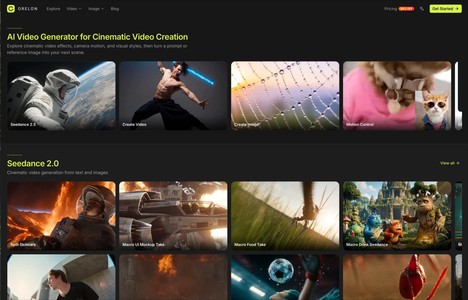
## OverviewOrelon is an innovative AI video generator designed to empower creat… Learn more
Pricing: Freemium (starts at $ 19.00/monthly)

![]() Domer AI
Domer AI
 Domer AI
## Overview[Domer AI](https://domer.io) is an innovative AI video generation pl… Learn more
Pricing: Freemium (starts at $ 19.90/monthly)

![]() Home healthcare company Chennai
Home healthcare company Chennai
 Home healthcare company Chennai
Finding dependable healthcare support for yourself or a loved one is an importa… Learn more
Pricing: Free

![]() celebrateyou
celebrateyou
 celebrateyou
Create Personalized Birthday Songs with Their Name & Your Memories Learn more
Pricing: Freemium (starts at $ 9.90)

![]() Jotted
Jotted
 Jotted
Jotted is a Windows desktop app that records your online meetings without joini… Learn more
Pricing: Freemium
![]() SongExtender
SongExtender
 SongExtender
SongExtender is an AI song extender for audio you own or are authorized to use.… Learn more
Pricing: Freemium

![]() Responsive website development
Responsive website development
 Responsive website development
One of the most important aspects of modern website development is responsive w… Learn more
Pricing: Free
![]() MonitorGuard
MonitorGuard
 MonitorGuard
Monitorguard gives you a modern, cloud‑powered workforce time and attendance sy… Learn more
Pricing: Free

![]() TopAI.review
TopAI.review
 TopAI.review
TopAI.review is an independent comparison and review website designed to help u… Learn more
Pricing: Freemium

![]() Facelift surgery Hyderabad
Facelift surgery Hyderabad
 Facelift surgery Hyderabad
The consultation is an essential part of the journey for anyone considering Fac… Learn more
Pricing: Free
![]() MarkItDown AI
MarkItDown AI
 MarkItDown AI
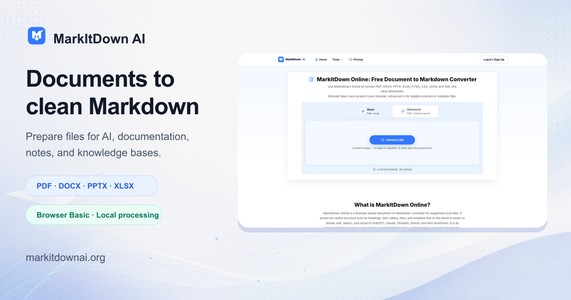
MarkItDown AI is a browser-based document-to-Markdown converter for AI workflow… Learn more
Pricing: Free
Frequently Asked Questions
- Use text search and apply filters like pricing, tool type, launch period and whether it's free.
- Use the ASK AI feature.
- Try voice search by clicking the mic icon (supported in Chrome, Safari, Opera and Microsoft Edge).
- Browse tools by categories or popular tags
- You can sign up or sign in using the following options:
- Manual sign-in with your username and password
- Sign in with Google
- Sign in with GitHub
- Sign in with X (formerly Twitter)
- Ensure your account has an associated email for the following reasons:
- To receive important notifications
- To reset your password if needed
- For account verification
- If your account doesn't have an email associated, you can:
- Navigate to your dashboard
- Go to 'Manage Email'
- Add a new email and make it your primary email
- Request email verification
- Signing in is important for:
- Accessing your personal dashboard
- Adding, managing, and editing your AI tools
- Bookmarking and rating AI tools
- Commenting on AI tools
- Managing social accounts and emails
- Viewing your activity history and managing your profile
- You must be signed in to your account to rate and comment on AI tools.
- Navigate to the tool's detail page to find the rating and comment section.
- For rating, use the 5-star rating system; the average rating and number of users who rated will be displayed.
- To leave a comment, type in the comment box and submit.
- You can update your ratings or delete your own comments if needed.
- All your ratings and comments are saved and can be viewed in the 'My Activity' section of your dashboard.
- Click on the 'Submit' button located in the navbar.
- Fill out the submission form with the following details:
- Tool's name
- Upload a Showcase image (optional)
- Upload a Logo (optional)
- Description
- Tool URL
- Pricing (optional)
- Choose Related tags
- If your account has an associated email, you'll receive a confirmation email with further instructions on managing your tool.
- Ability to rate, bookmark, comment, and share tools
- Tool previews and QR code access
- Robust search funtionalities
- Ability to Submits to the platform
- Personal dashboard to manage tools and activities
- Email management and social account integration
- Activity tracking for all interactions on the platform
- Latest AI News Articles: Stay updated on the latest trends, breakthroughs, and developments in the AI industry.
- Hottest Products Released: Discover new and innovative AI tools and products as they hit the market.
- Other AI-Related Articles: Explore a variety of topics related to artificial intelligence, from in-depth analyses to how-to guides.
Visit our blog at AI Finder Guru Blog to dive into the world of AI and stay informed about everything AI-related.
TRENDING AI PRODUCTS ARTICLES

Bee Debuts Frontier Wearable and Eclipse Phone Ac…
Amazon's personal AI wearable brand, Bee, is introducing its first li…
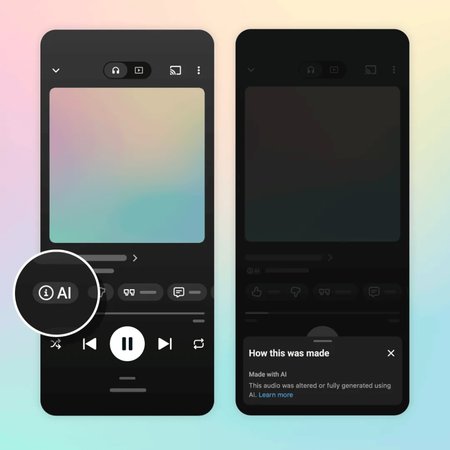
YouTube Music Launches AI Labeling System to Reve…
YouTube Music unveiled a new labeling initiative on Wednesday designe…

Zenzap Launches AI-Powered Private Messenger for …
Businesses across the globe frequently rely on consumer messaging pla…

Scimplify Raises $25M to Expand AI-Powered Specia…
Manufacturers worldwide are working to lessen their dependence on Chi…